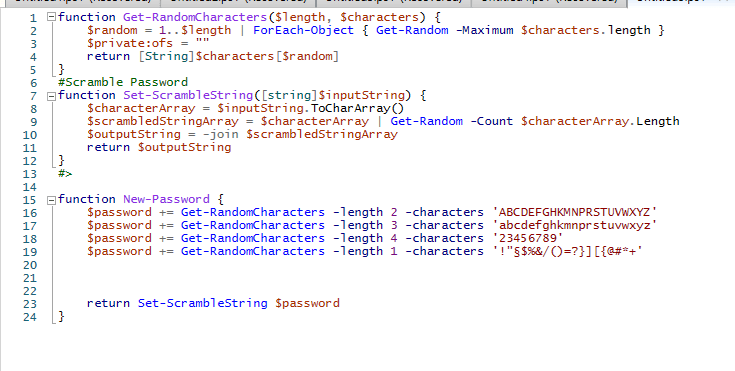
You can easily generate randomized passwords with PowerShell that meets the organizations security requirements and reuse the function through out your user management scripts.
First you want to create a function that gets random characters.
The script accepts two parameters, length and characters. Lenght specifies the number of characters to return and characters is the set of characters to pick from.
In order to get this to work I used PowerShell magic variable OFS which you find more information about here
function Get-RandomCharacters($length, $characters) {
    $random = 1..$length | ForEach-Object { Get-Random -Maximum $characters.length }
    $private:ofs = ""
    return [String]$characters[$random]
}
Now you might want to toss around your upper case, lower case, numbers and special characters.
The function Set-Scramblestring separates the input string in to a list of characters
The function then takes characters at random from the list of available characters and saves them to a new variable.
To get list to a string again we use the -join operator and return the result
function Set-ScrambleString([string]$inputString) {
    $characterArray = $inputString.ToCharArray()
    $scrambledStringArray = $characterArray | Get-Random -Count $characterArray.Length
    return -join $scrambledStringArray
}
New-Password uses function Get-RandomCharacters to generate a random password based on rules defined.
Password gets scrambled by function Set-ScrambleString
We have removed characters that might be hard for user to read like O and 0
function New-Password {
    $password += Get-RandomCharacters -length 2 -characters 'ABCDEFGHKMNPRSTUVWXYZ'
    $password += Get-RandomCharacters -length 3 -characters 'abcdefghkmnprstuvwxyz'
    $password += Get-RandomCharacters -length 4 -characters '23456789'
    $password += Get-RandomCharacters -length 1 -characters '!"§$%&/()=?}][{@#*+'


    return Set-ScrambleString $password
}
Example:
PS C:\Windows\system32> New-Password
9ucK3k5{8P
 Sandra Saluti